Smart Shopping: How to Find the Best Deals Safely
Online shopping has become one of the easiest ways to purchase everyday items, gifts, electronics, and household products. With just a few clicks, you can compare products, read reviews, and have items delivered directly to your home. However, not every online deal is a good deal. Learning how to compare prices, use shopping tools, and find discounts can help you save money while shopping safely online.
In this guide, you'll learn how to use tools like Google Shopping, Amazon filters, and digital coupons to find the best deals and avoid common online shopping mistakes.
Why Compare Prices Before Buying?
One of the biggest mistakes shoppers make is purchasing the first item they find. The same product can often be sold by multiple retailers at different prices. Taking a few extra minutes to compare prices can result in significant savings.
For example, imagine you are looking for a coffee maker. One retailer may sell it for $49.99, while another store offers it for $44.99. A third retailer may have a coupon available, bringing the price down to $39.99. Although the products are identical, the final cost can vary depending on where you shop.
Price comparison also helps you evaluate shipping costs, delivery times, and return policies before making a purchase.
Using Google Shopping to Compare Prices
Google Shopping is a free tool that allows you to compare prices from multiple retailers in one convenient location. Instead of visiting several websites individually, Google Shopping displays pricing information from different stores side-by-side.
Example: Finding the Best Price on Wireless Headphones
Follow these simple steps:
1. Open your web browser and visit Google.com.
2. Type "wireless headphones" into the search bar.
3. Select the Shopping tab near the top of the search results.
4. Browse the available products.
5. Compare prices from different retailers.
6. Review shipping costs and estimated delivery dates.
7. Read customer ratings and reviews.
8. Choose the option that offers the best overall value.
Google Shopping is especially helpful when shopping for electronics, appliances, and other higher-priced items because it allows you to quickly see which stores offer the lowest prices.
Using Amazon Filters to Find Better Deals
Amazon offers thousands of products, which can sometimes make it difficult to find exactly what you're looking for. Fortunately, Amazon's filters can help narrow your search and make shopping easier.
Filters allow you to sort products based on criteria such as price, customer ratings, and brand.
Example: Finding a Blender Under $50 on Amazon
Follow these simple steps:
1. Open Amazon.
2. Search for "blender."
3. Select Filters on the search results page.
4. Set the maximum price to $50.
5. Choose products with ratings of four stars or higher.
6. Select Prime shipping if you want faster delivery.
7. Compare the remaining products.
8. Read customer reviews before making your final decision.
Understanding Online Sales and Promotions
Retailers frequently offer promotions throughout the year to attract customers. Understanding how these promotions work can help you determine whether a deal is truly worthwhile.
Common types of sales include: Holiday sales, Clearance events, Daily deals, Buy One Get One (BOGO) offers, and seasonal promotions.
Before purchasing, always compare prices at other retailers to make sure the sale price is actually a good deal.
Stay Safe When Shopping Online
While online shopping offers convenience, it's important to protect your personal and financial information. Scammers often create fake websites or misleading advertisements designed to trick shoppers.
Shop on Secure Websites
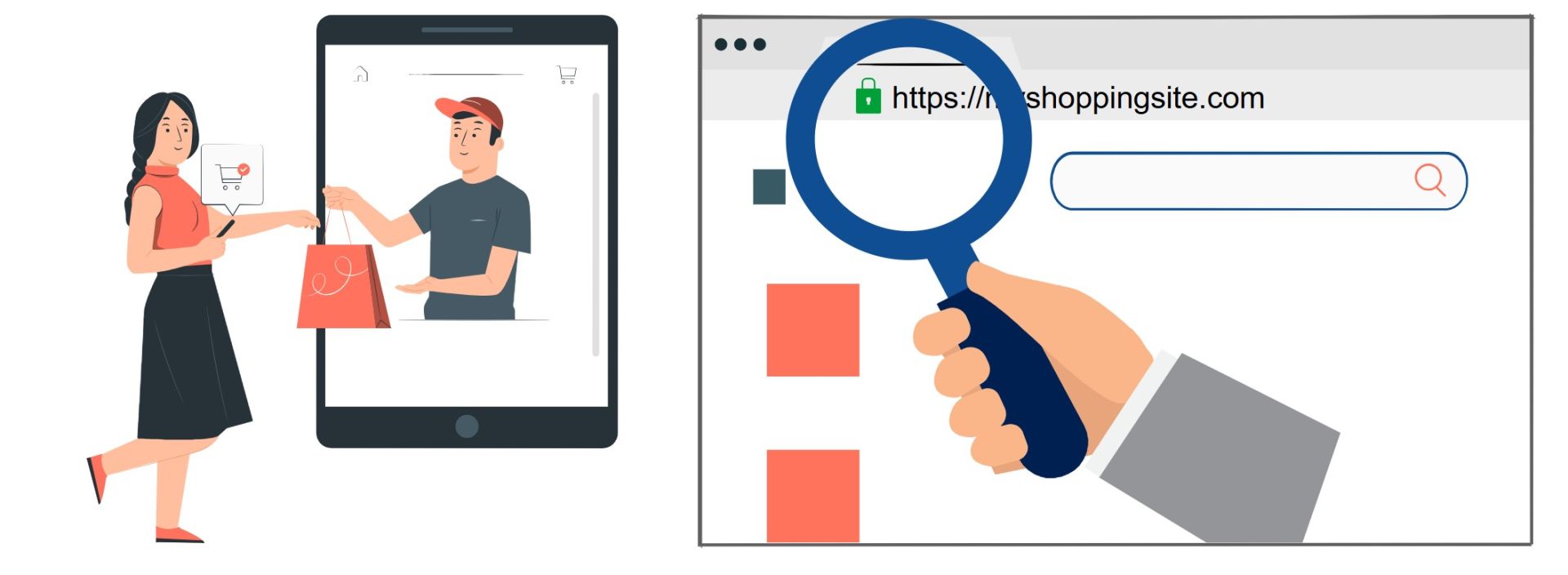
Before entering payment information, verify that the website address begins with https:// and displays a padlock icon in the browser address bar. These indicators suggest that the website uses encryption to protect your information.
Use Secure Payment Methods
Whenever possible, use:
- Credit cards
- PayPal
- Trusted payment services
- Wire transfers
- Gift cards
- Direct payments to unknown individuals
Watch for Common Scam Warning Signs
Be cautious if you encounter:
- Prices that seem too good to be true
- Pressure to purchase immediately
- Unusual payment requests
- Poorly designed websites with spelling errors
Join Us Today!
We’re passionate about making digital skills accessible to everyone. By providing free, user-friendly courses, we hope to empower individuals and build stronger, more connected communities. Whether you’re a student, a professional, or simply someone looking to learn something new, our website has something for you.
Come visit us today and start your journey towards digital confidence. Together, we can delete the digital divide, one learner at a time. We can’t wait to help you get started!
➡️ Sign up for our future events here: https://www.eventbrite.com/o/learnbasictechorg-83606808403
🌐 Learn more about us: https://LearnBasicTech.org
📲 Follow us on social media for updates:
Facebook: https://www.facebook.com/LearnBasicTech
X: https://x.com/learnbasictech
Instagram: https://www.instagram.com/learnbasictech/
Created By:
Jaelyn Garrard
Jaelyn is a Computer Science graduate with a passion for technology, digital literacy, and helping others learn new skills. She aims to use her technical knowledge and experience to create accessible educational resources that empower individuals to confidently navigate today's digital world.